
Average Calculator
Average Calculator: Calculate Mean, Median, Mode & Weighted Average Instantly
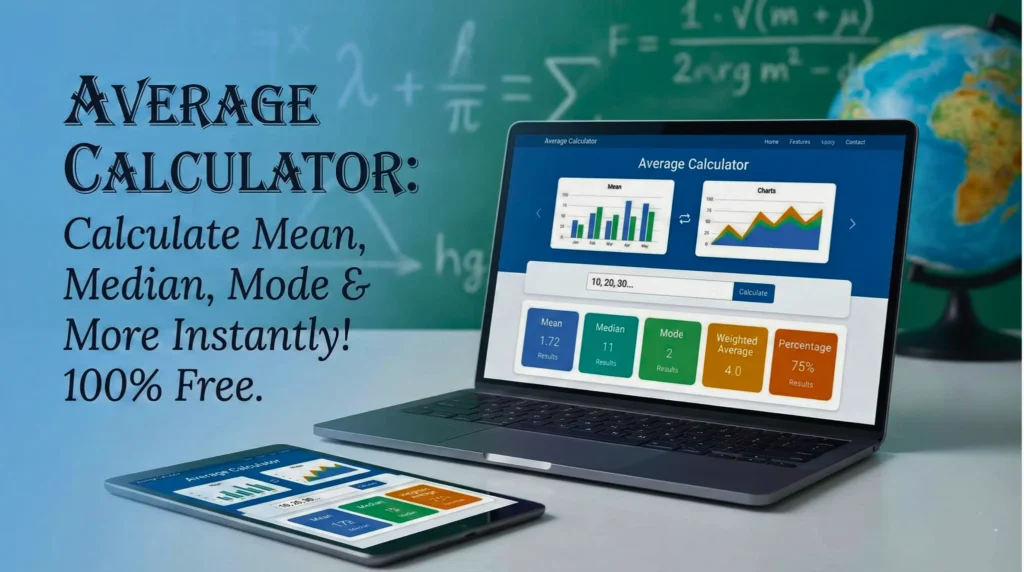
Are you looking for a quick and easy way to find the average of numbers? You are in the right place! Our Average Calculator is a free online tool designed to help students, teachers, and professionals calculate the Mean, Median, Mode, Weighted Average, and even Average Speed in just one click.
Whether you are calculating your exam marks percentage or solving complex statistics problems, this tool does it all for you without any manual calculation.
What is an Average Calculator?
An Average Calculator is a digital tool that takes a list of numbers (a data set) and calculates the central value. In mathematics, this is commonly called the “Arithmetic Mean.”
However, this tool is not just for simple averages. It is an All-in-One Statistics Calculator that helps you find:
- Mean: The simple average.
- Median: The middle value of your data.
- Mode: The number that appears most frequently.
- Range: The difference between the highest and lowest values.
- Geometric Mean: Useful for growth rates and financial figures.
How to Use This Average Calculator
Using this tool is very simple. We have divided it into two modes: Normal and Advanced.
1. Normal Mode (Simple Average)
This is best for calculating the average of a simple list of numbers.
- Enter your numbers in the box, separated by a comma (e.g., 10, 20, 30, 40).
- Click the “Calculate Result” button.
- The tool will instantly show you the Mean, Median, Mode, Geometric Mean, and Range.
2. Advanced Mode
Use the toggle switch to turn on “Advanced” mode for special calculations:
- Mean Median Mode Calculator: Handles complex data sets.
- Weighted Average Calculator: Perfect for calculating grades where some assignments carry more “weight” than others.
- Average Speed Calculator: Calculates speed based on Total Distance and Total Time.
- Marks Percentage Calculator: Helps students calculate their final percentage based on scored marks vs. maximum marks.
Bonus Feature: You can click the “Save Result” button to download a text file of your calculation for future reference!
Important Formulas Used in This Calculator
To understand how our Average Calculator works, here are the simple formulas used in the background.
How to Calculate Average (Mean)
The Mean is the most common type of average. It is the sum of all values divided by the number of values.
Formula: Average = Sum of all values/total number of values
Example: If your marks are 80, 90, and 70:
Average = 80 + 90 + 70 / 3 = 240 / 3 = 80
How to Calculate Weighted Average
A weighted average is used when some numbers are more important (have more weight) than others. This is very common in university grading systems.
Formula: Weighted Average = ∑(Value × Weight) / ∑Weight
How to Calculate Average Speed
This is used in Physics and daily travel. It is not just the average of two speeds; it is the total distance covered divided by the total time taken.
Formula: Average Speed = Total Distance / Total Time
Why Use Our Online Average Calculator?
There are many calculators available on the internet, but here is why calculatorall.in offers the best one:
- 100% Free: No hidden charges or sign-ups required.
- Detailed Statistics: We don’t just show the average; we show the Median, Mode, Range, and Geometric Mean.
- Step-by-Step Formula: The tool displays the formula used, which helps students learn while they calculate.
- Mobile Friendly: Works perfectly on your phone, tablet, or laptop.
- Save Your Work: The unique “Save Result” feature allows you to keep a record of your calculations.
Average Calculator (FAQs)
In general mathematics, “Average” usually refers to the “Arithmetic Mean.” They are practically the same thing. However, in statistics, “Average” can strictly refer to Mean, Median, or Mode, but people mostly use it for Mean
Simply type the negative numbers with a minus sign (e.g., -5, 10, -2) in the input box. Our Average Calculator handles negative values automatically.
Yes! Switch to the “Advanced” mode and select “Marks Percentage Calculator” to calculate your percentage easily. For CGPA, you can use the “Weighted Average” option if you know your credit points.
The Geometric Mean is a special type of average used mostly in finance and biology (for growth rates). It is calculated by multiplying all numbers and then taking the n-th root. Our tool calculates this for you instantly.
Conclusion
Mathematics shouldn’t be hard. Whether you are a student checking your grades, a business owner calculating monthly sales, or just someone splitting a bill, our Average Calculator is the perfect tool for you.
Bookmark this page now and make your calculations simple, fast, and accurate!
Try – Percentage Calculator