
Percentage Calculator
Calculate percentage, percentage change, increase, decrease, and differences free in seconds.
What is X % of Y?
X is what percent of Y?
What is the percentage increase/decrease?
What is the percentage difference between?
What is the percentage change?
What is the original value if X % of it is Y?
Percentage Calculator: Fast, Accurate, and Free Online Tool
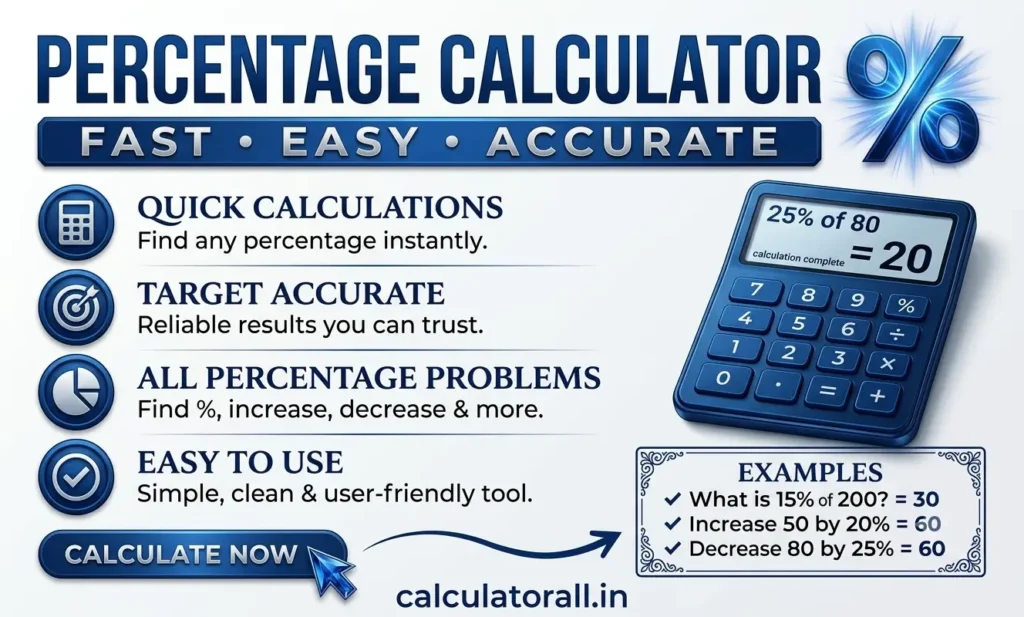
Let’s be honest—Everyone feels the need for a percentage calculator when dealing with numbers, messy fractions, and tricky financial stats isn’t exactly everyone’s idea of a good time. Whether you’re a student pulling your hair out over a complex math assignment, a small business owner trying to pin down this month’s profit margins, or just someone trying to figure out if that holiday sale is actually a good deal, numbers drive our daily choices. That’s exactly why keeping a reliable, free percentage calculator handy is a total game-changer.
In this guide, we’re going to break down the nuts and bolts of percentages. We will look at the exact formulas you’d need if you were doing this math by hand, and I’ll show you why leaning on a web-based tool is just the smarter, faster way to go.
Understand Percentages in Everyday Calculations
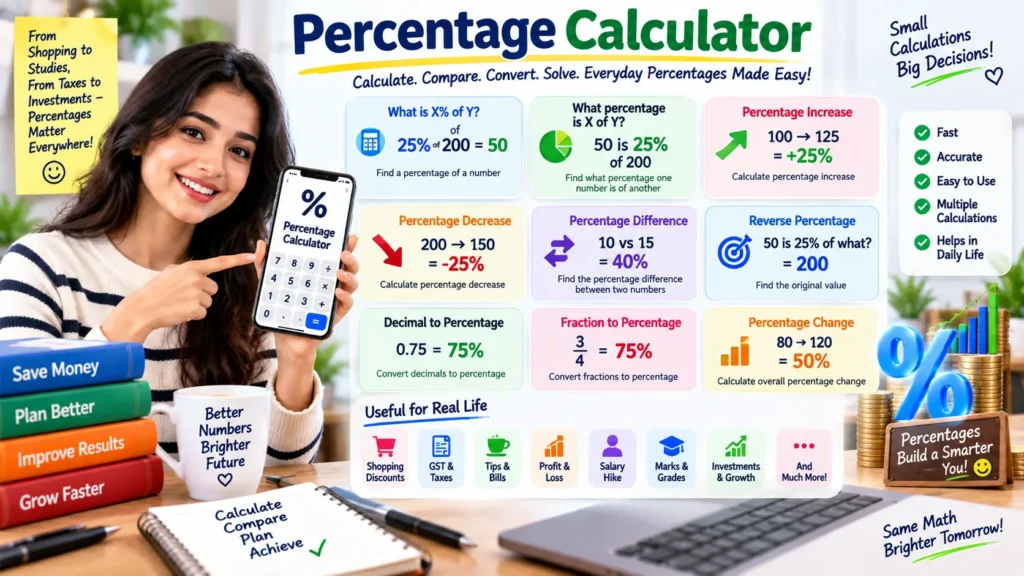
A percentage expresses a value as a part of 100. The symbol % tells us that a number has been converted into a proportion based on one hundred. Percentages appear in school mathematics, shopping discounts, exam results, salary changes, business reports, interest calculations, statistics, and everyday comparisons. A percentage calculator makes these tasks easier by handling the arithmetic while keeping the calculation understandable.
Suppose 25 students are present in a class of 50, and 25 are boys. The fraction is 25 ÷ 50 = 0.5. Multiplying 0.5 by 100 gives 50%, meaning boys represent half of the class. This simple relationship forms the foundation of many percentage problems. Once the relationship between a part and a whole is clear, more advanced calculations become much easier to follow.
How the Percentage Formula Works
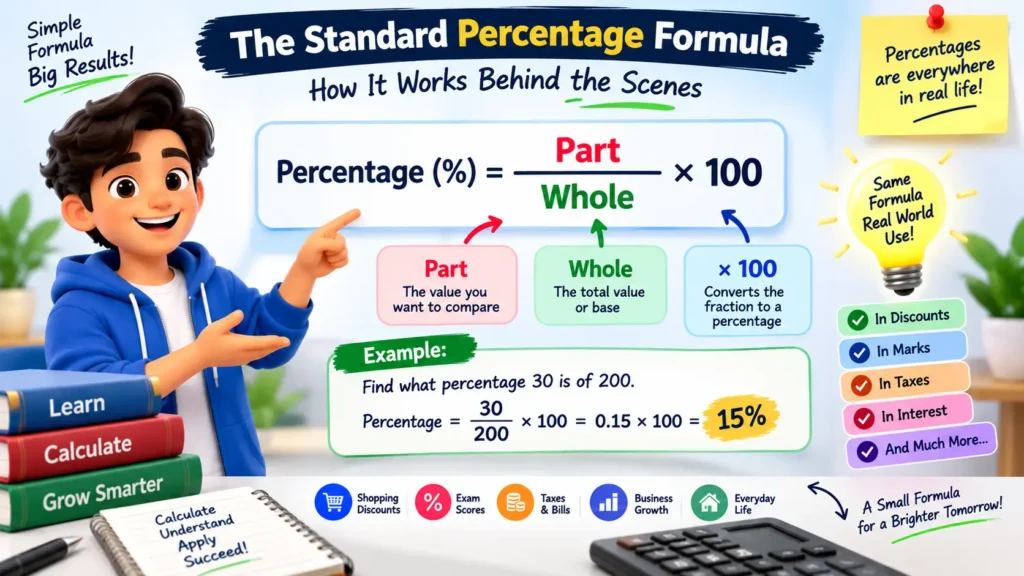
The basic percentage formula can be written as Percentage = (Part ÷ Whole) × 100. If a student scores 72 marks out of 90, the calculation is (72 ÷ 90) × 100 = 80%. This percentage calculator method is useful whenever you know the portion and the total and want to find the percentage represented by that portion.
Another common form is Percentage Value = (Percentage ÷ 100) × Original Value. For example, 15% of 240 is calculated as (15 ÷ 100) × 240 = 36. The percentage calculator uses this relationship to turn a percentage and a base number into an exact numerical result without requiring manual multiplication.
Calculate What X% of Y Means
The first calculation type answers a straightforward question: what is X% of Y? The formula is Value = (X ÷ 100) × Y. For example, 20% of 350 equals (20 ÷ 100) × 350, which gives 70. The percentage calculator is useful for discounts, taxes, commissions, marks, tips, savings, and many other situations where a percentage must be taken from a known amount.
If a product costs ₹2,000 and a seller offers a 12% discount, the discount amount is (12 ÷ 100) × 2,000 = ₹240. The final price before considering any additional charges is ₹1,760. Our calculator can perform the first calculation instantly and reduce the chance of arithmetic mistakes.
Find What Percentage One Number Is of Another
The second calculation determines what percentage one value represents of another. The formula is Percentage = (X ÷ Y) × 100. If 45 is compared with 180, the calculation is (45 ÷ 180) × 100 = 25%. This is particularly useful for exam scores, attendance, completed tasks, sales performance, survey results, and part-to-whole comparisons.
For example, if an employee completes 84 tasks from a target of 120, the completion rate is (84 ÷ 120) × 100 = 70%. Oue calculator gives a clearer picture than the two raw numbers alone. This type of percentage calculation is also useful when comparing a partial amount with a total budget, population, inventory, or project target.
Calculate Percentage Increase or Decrease
A percentage increase or decrease compares a starting value with a new value. The standard formula is Percentage Change = ((New Value − Original Value) ÷ Original Value) × 100. A positive answer indicates an increase, while a negative answer indicates a decrease. The direction should be interpreted from the sign of the result rather than from the size of the numbers alone.
Consider a price that rises from ₹500 to ₹575. The calculation is ((575 − 500) ÷ 500) × 100 = 15%. Therefore, the price increased by 15%. If the price falls from ₹500 to ₹425, the same formula produces -15%, which represents a 15% decrease. The percentage calculator is useful for prices, revenue, salaries, population figures, measurements, and performance metrics.
Understand Percentage Difference Between Two Values
Percentage difference is useful when there is no single value that should automatically be treated as the starting point. The formula is Percentage Difference = |V1 − V2| ÷ ((V1 + V2) ÷ 2) × 100. The absolute difference is divided by the average of the two values, and the result is multiplied by 100.
For example, if two measurements are 10 and 6, their absolute difference is 4, and their average is 8. Therefore, the percentage difference is 4 ÷ 8 × 100 = 50%. The percentage calculator is helpful when comparing two experimental measurements, prices, quantities, readings, or values where neither number is designated as the original value.
Calculate Percentage Change from One Value to Another
Percentage change describes how much a value has changed relative to its original amount. The formula is Percentage Change = ((New Value − Original Value) ÷ Original Value) × 100. Unlike percentage difference, the percentage calculator uses the original value as the reference point. That distinction is important when interpreting increases and decreases.
For example, if monthly sales move from ₹40,000 to ₹46,000, the percentage change is ((46,000 − 40,000) ÷ 40,000) × 100 = 15%. The percentage calculator shows that sales increased by 15% relative to the starting figure. When the new value is smaller, the result becomes negative and indicates a decline.
Find the Original Value from a Percentage
Sometimes you know a percentage result but need to discover the original amount. If X represents a known result and Y% represents the percentage applied to the original value, the formula is Original Value = X ÷ (Y ÷ 100). For example, if 20% of an amount is ₹80, the original amount is ₹80 ÷ 0.20 = ₹400.
This reverse calculation is useful for finding an original price after a discount amount is known, reconstructing a total from a percentage share, or working backwards from a commission or tax amount. This calculator can make this reverse percentage problem much easier to solve accurately.
Percentage Calculator for Students
Students encounter percentages in marks, grades, attendance, test scores, statistics, and mathematics exercises. If a student obtains 425 marks out of 500, the percentage is (425 ÷ 500) × 100 = 85%. The same method works for individual subjects, total examinations, completed assignments, or other measurable results.
Understanding the formula is still important even when using a percentage calculator. A reliable tool should support learning rather than simply display a number. By showing the calculation method, students can check whether the percentage calculator makes sense and understand which value represents the part, whole, original amount, or new amount.
Percentage Calculations for Discounts and Shopping

Percentage calculations are common when comparing sale prices, discounts, taxes, cashback offers, and price changes. If a ₹3,000 item receives a 20% discount, the discount is ₹600, and the reduced price is ₹2,400. The discount percentage describes the reduction relative to the original price, not the final price.
When comparing two offers, it is useful to identify the correct base value before calculating. A percentage calculator can help determine the discount amount, the percentage represented by a saving, or the change between two prices. This is especially useful when different shops advertise different original prices and discount amounts.
Percentage Calculations in Business and Finance
Businesses use percentages to monitor profit margins, sales growth, expenses, conversion rates, commissions, market shares, and performance changes. If revenue rises from ₹2 lakh to ₹2.5 lakh, the percentage increase is ((2.5 − 2) ÷ 2) × 100 = 25%. The percentage calculator provides a normalized way to describe growth.
Percentages are also common in finance, although a percentage alone does not explain the full financial situation. Interest rates, returns, fees, tax rates, and allocation ratios may all be expressed as percentages. When using a percentage calculator for financial figures, users should identify the correct base amount and period before interpreting the percentage calculator.
Percentage Difference Versus Percentage Change
Percentage difference and percentage change are related but should not be treated as interchangeable terms. Percentage change uses an original value as the reference point. Percentage difference uses the average of two values, making it suitable when neither measurement is designated as the starting value.
For example, comparing 80 with 100 as an increase from 80 gives a 25% change. However, the percentage difference between 80 and 100 is based on their average of 90: 20 ÷ 90 × 100 ≈ 22.22%. The different answers are correct because the formulas answer different questions.
Avoid Common Percentage Mistakes
One frequent mistake is using the wrong denominator. For a percentage increase, the original value normally provides the reference point. Another mistake is confusing percentage points with percentage change. If a rate moves from 40% to 50%, it rises by 10 percentage points, but the relative percentage increase is 25%.
Rounding too early can also produce inaccurate results. It is better to retain the full calculation until the final step and then round the displayed answer. A percentage calculator can reduce these errors, but users should still verify that the selected calculation type matches the question they are trying to answer.
Why Clear Calculation Steps Matter
A result is more useful when the user can understand how it was obtained. Showing the formula, substituted values, and final answer creates a transparent calculation path. This makes it easier to spot an incorrectly entered number and gives students a practical way to learn percentage mathematics.
A percentage calculator should therefore balance speed with clarity. Instant results are convenient, but understandable results build confidence. When the calculation is presented in a simple sequence, users can apply the same method later without relying entirely on a percentage calculator.
Use the Percentage Calculator with Confidence
The percentage calculator supports several common percentage problems in one place, from finding a percentage of a number to determining percentage change and recovering an original value. Each calculation has a specific purpose, so choosing the correct option is the first step toward an accurate answer.
For the best result, enter numbers carefully, identify the original or reference value when required, and check whether the question asks for a percentage, percentage difference, increase, decrease, or reverse calculation. The percentage calculator then provides a convenient way to complete the arithmetic and verify your working.
Frequently Asked Questions (FAQs)
If you want to do it by hand, first change the percentage into a decimal by dividing it by 100. Then, just multiply that decimal by the target number you’re looking at. So, if you want 15% of 200: turn 15% into 0.15, and multiply 0.15 x 200 to get 30. Of course, running it through a percentage calculator gets you there a lot faster.
First, grab the decimal version of your tax percentage and multiply it by the original price. This gives you the exact tax amount. Finally, add that tax amount to the starting price. For example, to stick a 10% tax onto a $50 bill: 10% of 50 is 5. Add 5 to 50, and you pay $55.
Yeah, it absolutely is, and you see it all the time in business. Any percentage over 100% just means the original baseline value has more than doubled. Going from 50 to 150 is a massive 200% increase. A digital percentage calculator can crunch numbers into the thousands of percents without breaking a sweat.
We call this working backward, or reverse percentage calculation. Let’s say a winter jacket is marked down to $80 after a 20% discount. That $80 represents 80% of the full price. To find the starting cost, divide 80 by 0.80, giving you $100. Our online percentage calculator actually has a whole dedicated section just for this specific problem.
You bet. Our advanced percentage calculator is 100% free. You don’t have to download shady software or create an account, and it works flawlessly on desktops, tablets, and smartphones alike.
Final Takeaway
Percentages are simple once the relationship between values is understood. The key is to identify the part, whole, original value, new value, or average required by the particular problem. The percentage calculator brings these common methods together so users can handle everyday calculations without lengthy manual arithmetic.
Whether you are checking marks, calculating a discount, measuring growth, comparing two values, working out attendance, or finding an original amount, the underlying formulas remain consistent. Learning those formulas alongside the tool helps turn a quick answer into a calculation you can understand, check, and confidently use in real situations.